AI Workflow Automation
This is a real workflow I built in Make.com. It connects Google Forms, email, Notion, and Slack into one automated process — so a single form submission triggers a chain of actions that used to require repetitive manual steps: sending a response, recording the information, and notifying the team.
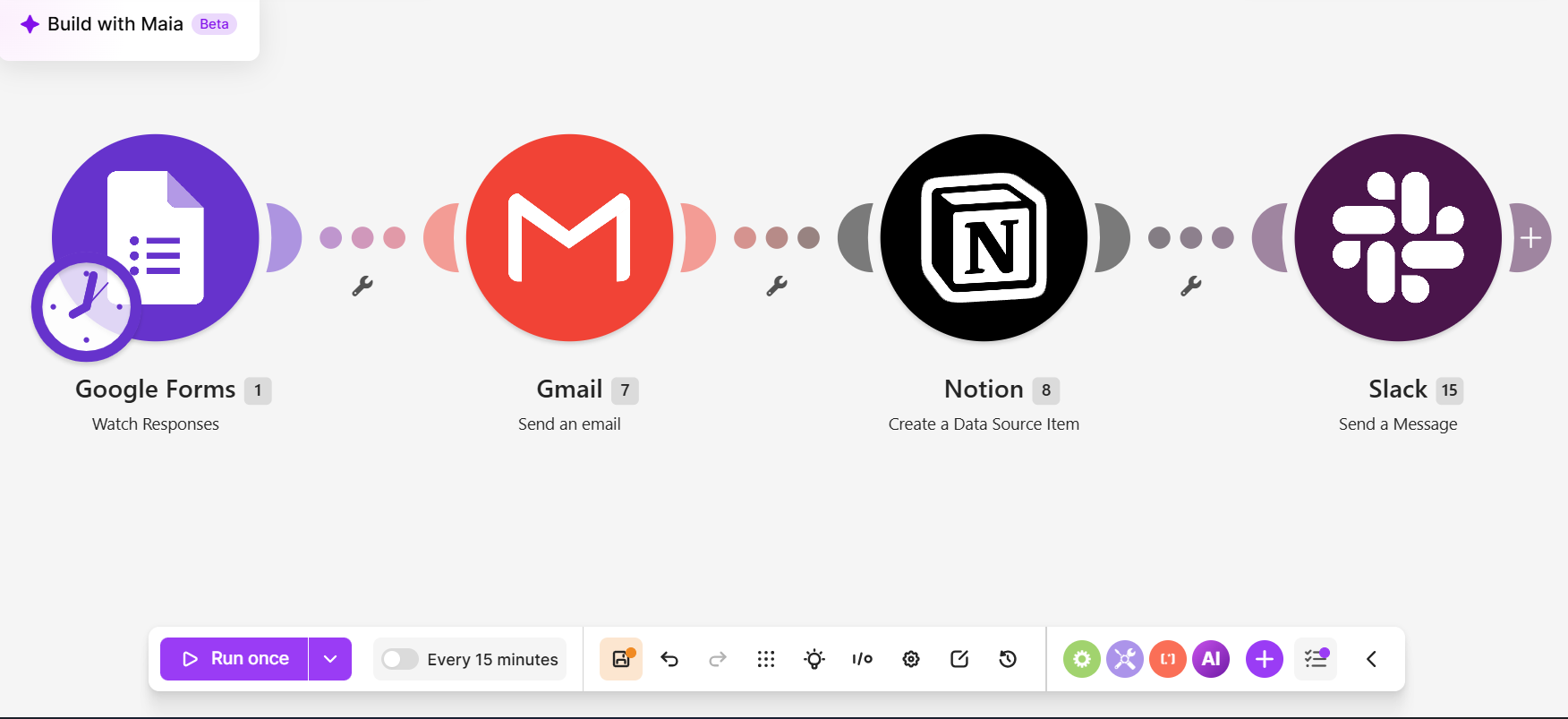
The actual workflow, built in Make.com — from trigger to final action.
How information moves, step by step.
One submission sets off a chain of organized actions across four connected tools.
1. Trigger — Google Forms
"Watch Responses"
The workflow starts the moment someone submits a form. Every new response is captured automatically — no one has to be watching the inbox for it.
2. Gmail — Email Action
"Send an Email"
As soon as the response arrives, an email is sent automatically. The right message goes out immediately, without anyone typing it from scratch each time.
3. Notion — Data Entry
"Create a Data Source Item"
The submission is also logged into Notion as a structured item. Information lands in an organized, searchable database instead of sitting in a form backend.
4. Slack — Team Notification
"Send a Message"
Finally, the team is notified in Slack. The people who need to act on a new submission know about it the moment it happens — no manual forwarding or copying.
What this workflow solves.
The operational problem: when submissions arrive by form, someone has to notice them, reply, copy the details into a tracker, and tell the team — the same manual sequence, every single time.
What the workflow does instead: the moment a response arrives, the acknowledgment is sent, the record is created in Notion, and the team hears about it in Slack — automatically and consistently.
The result: information flows between tools without anyone playing messenger, records stay organized and searchable, and nothing depends on someone remembering to do the follow-up.
Let's build a more organized way of working.
Book Your Free Call